
Export selected Global Styles or package a page, post, or pattern with only the styles it uses. Review conflicts, rename classes when needed, validate the import, and rebuild GenerateBlocks CSS from one focused workflow.
Validate before every import
Source site remains unchanged
Selective Exports
Validate First
Class Renaming
Conflict Controls
Avoid Manual Rebuilding
Copying blocks is only half the job.
When you paste GenerateBlocks content into another site, its Global Styles often stay behind. The structure arrives, but the reusable class rules must be moved or rebuilt separately.
Lost Class Definitions
Blocks arrive on the destination site without the underlying global style rules.
Naming Conflicts
An imported class can affect existing content when the destination already uses the same selector.
All-or-nothing transfers
You can’t transfer only the Global Styles required by one pattern. Moving one pattern can require exporting the entire Global Styles library, even when it uses only a few classes.
Move the content and the styles it actually uses.
Select individual Global Styles or choose WordPress content and let GB Style Transfer find its matching classes. Review the package, resolve naming conflicts, and validate the result before importing anything.
Transfer only what you need
Move selected styles or create a package containing the block content and only its matching Global Styles.
Review before importing
Run validation-only checks to see what would be created, updated, skipped, or reported as a conflict.
Keep the source untouched
Exporting and package-only class renaming never modify live content or live Global Styles on the source site.
Finish with rebuilt CSS
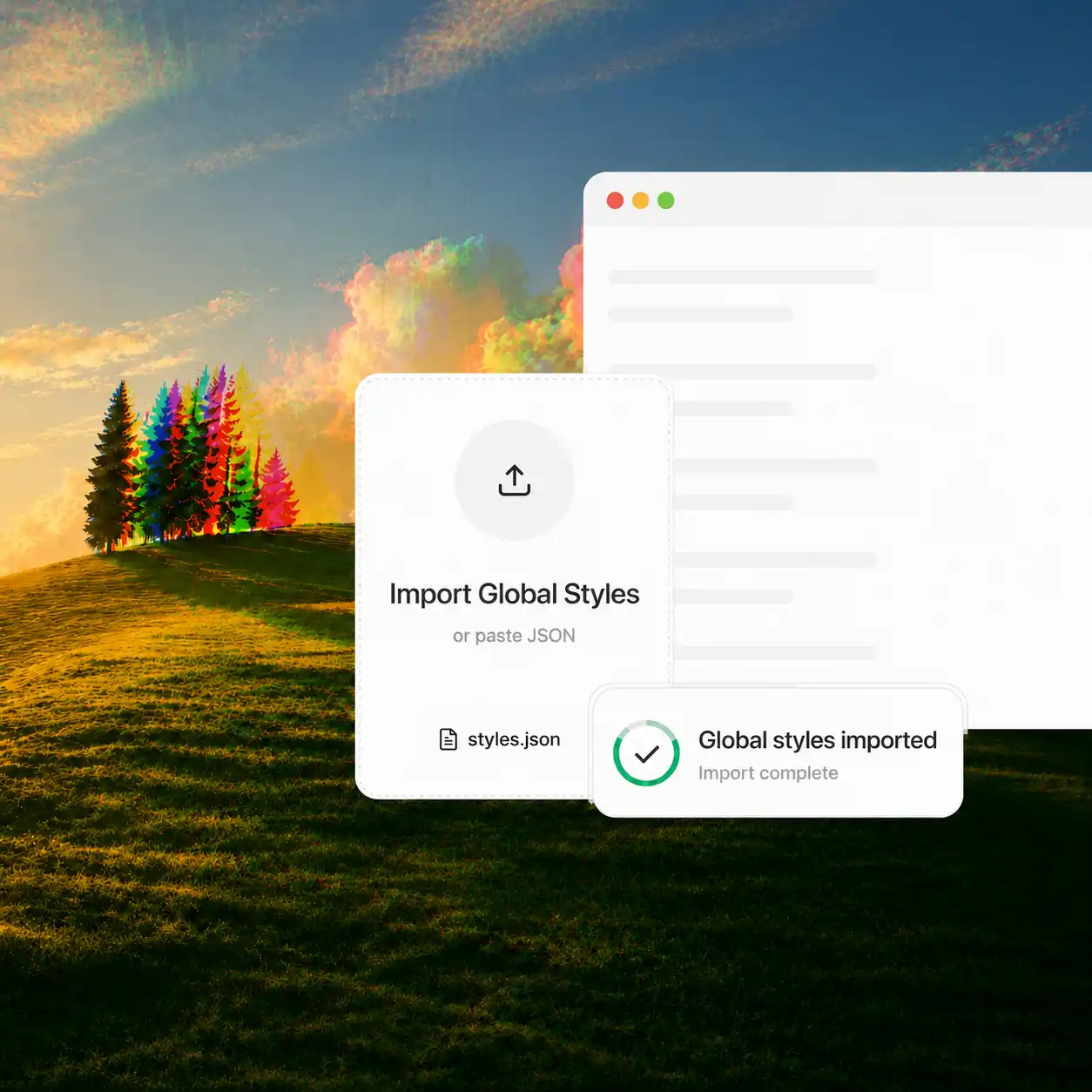
Rebuild GenerateBlocks CSS after importing and receive a clear report of the result.
A repeatable three-step workflow
Choose the content or styles you need, review the generated package, and validate everything before making changes on the destination site.
Choose what to move
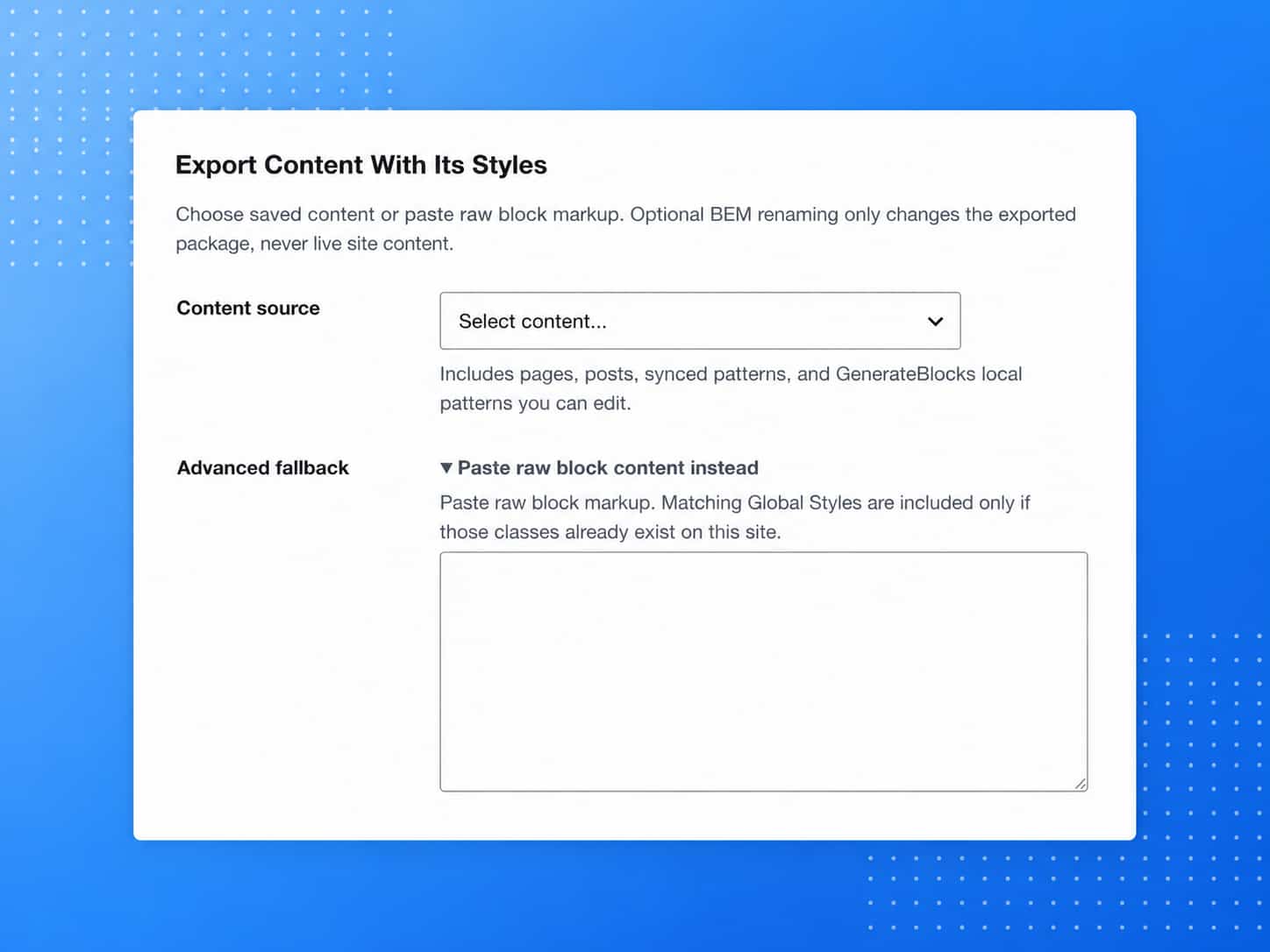
Select individual Global Styles, choose a page, post, or pattern, or paste GenerateBlocks block markup.
Pages
Posts
Synced patterns
GenerateBlocks local patterns
Preview and export
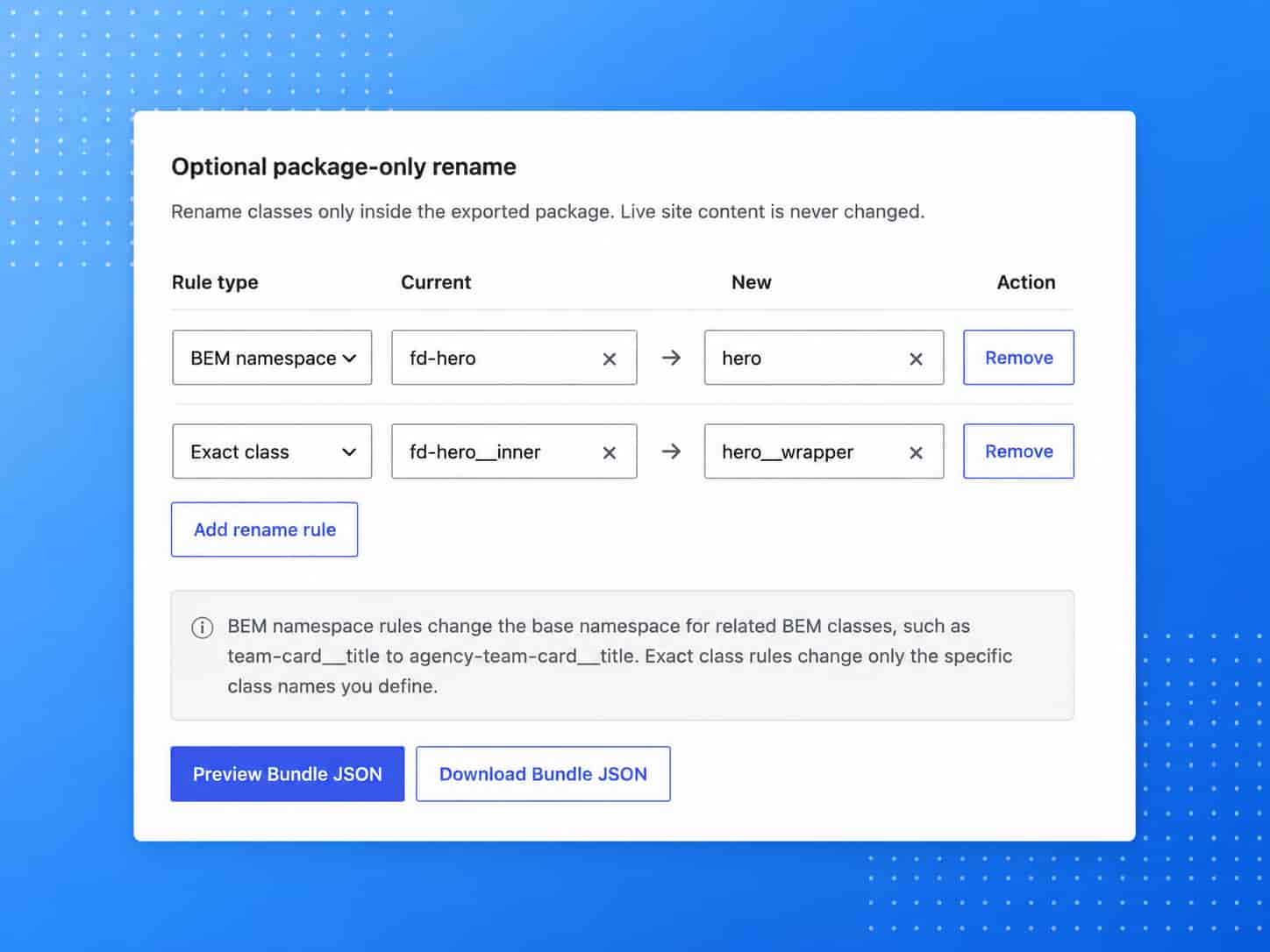
Inspect the included styles, portability warnings, and class mappings before copying or downloading the package.
Review included style records
See missing-style and portability warnings
Rename BEM namespaces or exact classes
Copy or download JSON and bundled block content
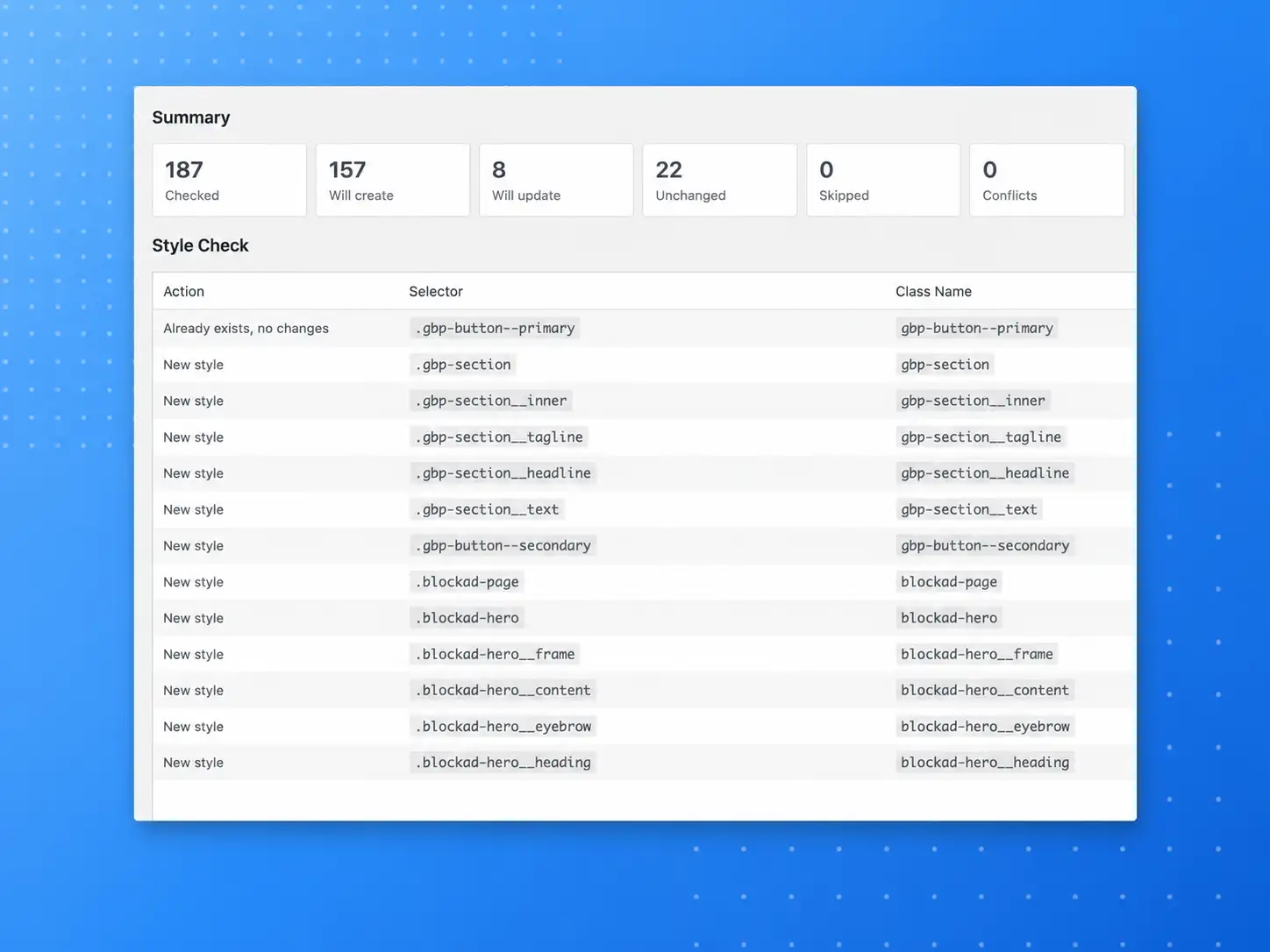
Validate and import
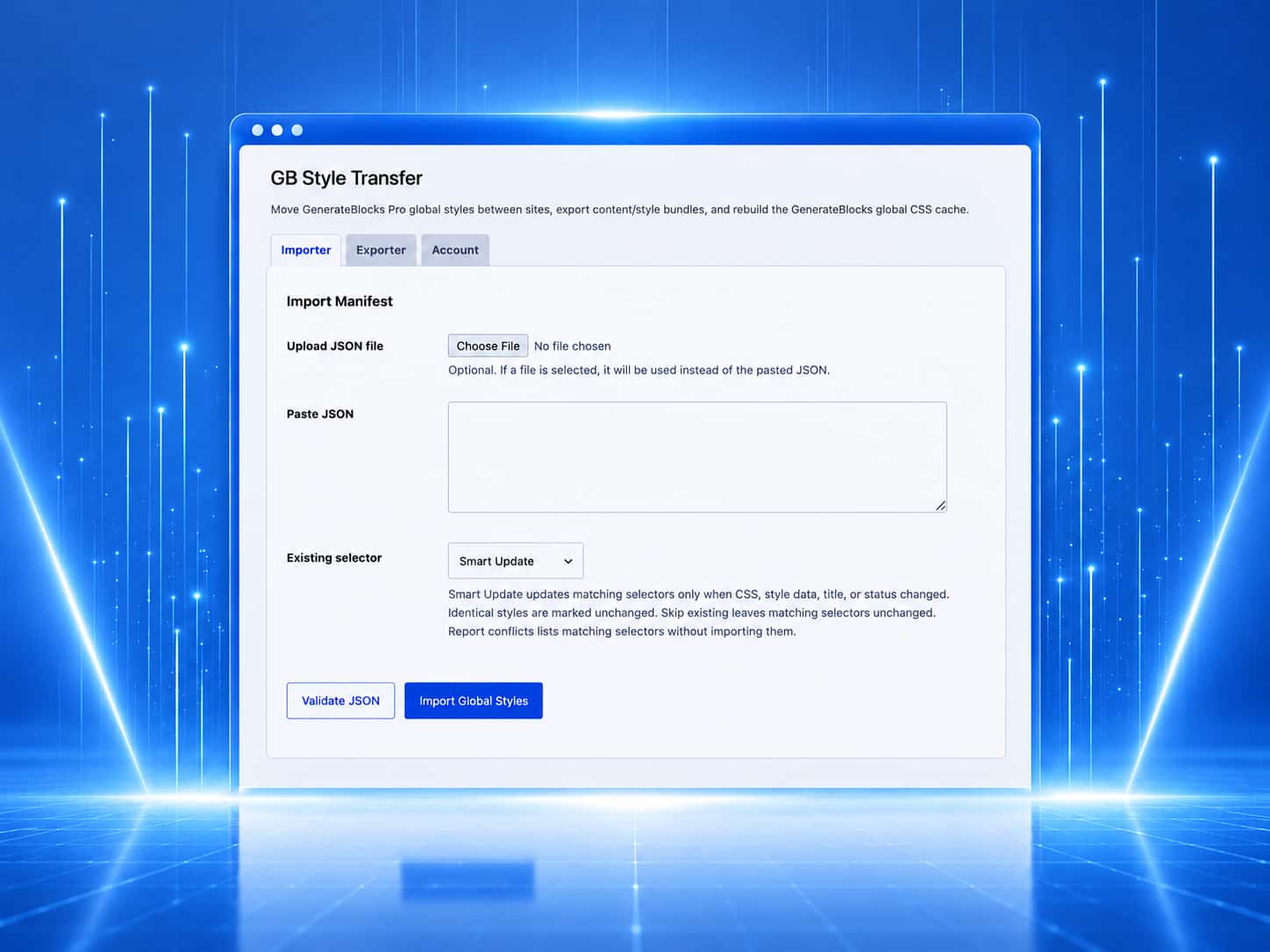
Upload the JSON file or paste it into the destination site. Choose how matching selectors should be handled, validate without writing anything, and then complete the import when the result looks correct.
Preview creates, updates, unchanged styles, skips, and conflicts
Choose Smart Update, Skip Existing, or Report Conflicts
Import styles before pasting bundled block content
Rebuild and verify GenerateBlocks Global CSS
Adapt reusable components without touching the live source.
Rename a complete BEM namespace or one individual class inside the exported package. The original blocks and Global Styles remain unchanged on the source site.
BEM namespace rules
Change a base namespace and carry its related elements and modifiers with it.
Exact class rules
Rename one selector without changing sibling elements in the same component family.
Built-in protection
Protected WordPress and GenerateBlocks prefixes are flagged before export.
Class mapping simulator
Live previewBEM namespace rule
The source is locked. Change the destination to preview related elements and modifiers.
Exact class rule
The source is locked. Change only the destination selector.
Use cases
Where GB Style Transfer saves the most time
A focused tool for designers, freelancers, and agencies who reuse GenerateBlocks components across real WordPress projects.
Get GB Style TransferStaging to production
Build and test on staging, then transfer matching Global Styles without moving the full database.
Starter site to client
Reuse proven components while including only the exact styles each component needs.
Agency component library
Maintain a reusable section library and move selected components into client websites.
Client namespaces
Rename a reusable BEM component inside the package before adding it to a client project.
Style maintenance
Move selected styles while preserving editable data, output order, and generated CSS.
Validated automation
Use authenticated REST requests to export, inspect, dry-run, and import repeatably.
{CONTROLLED STYLE TRANSFERS}
Transfer What You Need. Protect What You Already Have.
{SELECTIVE EXPORTS}
Package Only What You Need.
Build Your Transfer Package
Choose Content
Collect Matching Styles
Rename Classes if Needed
Review and Export
{VALIDATED IMPORTS}
Review Everything Before You Import.
Import Validation Summary
Validated100%
New Styles
42%
CreateExisting Matches
33%
MatchConflicts Flagged
25%
ReviewCSS Rebuild
Ready
AutoSelective Exports
Move selected Global Styles or only the styles used by your chosen content.
Package-Only Renaming
Rename classes inside the exported package without changing your source site.
Conflict Controls
Review existing matches and choose how conflicts should be handled.
Automatic CSS Rebuild
Rebuild GenerateBlocks CSS automatically after a successful import.
Built-in safeguards
Designed to move carefully not blindly.
Validation, protected class rules, collision detection, and practical operation limits help reduce accidental overwrites and unnecessary database changes
Live DB Unmodified
Export scans and package renaming never edit the database records on the source site.
Unchanged styles are skipped
Smart Update identifies identical records and avoids unnecessary writes.
Protected Core Classes
GenerateBlocks core layouts and structural GenerateBlocks tags are filtered and immune to renames.
Collision Protection
Rejects mapping configurations that would merge multiple distinct source selectors into one class.
Dry-run validation
Validate JSON provides a risk-free check that reports updates before completing an import.
Practical operation limits
Limits on package size, style records, and renaming rules keep operations manageable.
One lifetime plan. Everything included.
Move GenerateBlocks layouts, components, and Global Styles between client sites with the complete GB Style Transfer toolkit.
One payment. No subscriptions, renewals, or feature gates.
Complete plan
$49 /lifetime
For anyone moving GenerateBlocks styles between WordPress sites
Get lifetime access- 500 live-site activations
- All import and export features
- Content-and-style bundles
- Package-only class renaming
- Validation and conflict controls
- Authenticated REST API, lifetime updates, and support
One-time USD purchase. Includes a 14-day compatibility guarantee.
Frequently Asked Questions
Clear answers about exporting, validating, renaming, and importing GenerateBlocks Pro Global Styles.
What does GB Style Transfer move?
It exports GenerateBlocks Pro Global Style records, including their selector, class name, title, publication status, editable style data, and generated CSS. A content bundle can also contain the original block markup, required class names, matching Global Styles, rename mappings, source information, and warnings.
Does it automatically create the page or pattern on the destination?
No. First import the package’s styles on the destination. Then copy and paste the included block content into the WordPress editor. This keeps page creation under your control and prevents the plugin from silently adding content.
Does exporting change my source site?
No. Exporting does not update source posts, patterns, or Global Style records. Package-only renaming changes only the generated export package.
What happens when the same selector already exists?
You can choose: Smart Update, Skip Existing or Report Conflicts Smart Update changes the existing record only when its stored information differs. Identical styles remain unchanged.
Can I check an import without modifying anything?
Yes. Use Validate JSON in wp-admin or dryRun through the REST API. Validation reports what would be created, updated, skipped, left unchanged, or reported as a conflict without writing style records.
Does it transfer images and uploaded media?
No. The block markup and CSS may continue referencing existing image URLs, but GB Style Transfer does not copy media-library files. Review external URLs on the destination and transfer required media separately.
Does it transfer fonts, variables, or theme settings?
No. Uploaded fonts, theme configuration, and site-wide variables are outside the Global Style records transferred by the plugin. GB Style Transfer warns when CSS references custom properties so you can confirm that the required variables exist on the destination.
Does it require GenerateBlocks Pro?
Yes. GenerateBlocks and GenerateBlocks Pro must both be installed and active. GB Style Transfer is designed specifically for GenerateBlocks Pro Global Styles.
Can I use it through an API?
Yes. Authenticated REST routes support style export, package export, import, dry-run validation, conflict handling, and CSS rebuilding. REST access requires an eligible license and the appropriate WordPress capability.
What are the file limits?
Import manifests can be up to 2 MB. Raw block content used to generate a package can be up to 1 MB. A single import or export supports up to 1,000 styles. These limits are designed for focused component and style-library transfers.
Can I move a license to another website?
Use the Freemius Account controls to deactivate a license from one installation before activating it on another eligible installation. Deactivating a site license does not automatically cancel the related subscription.